 GOO Web Server
Production-ready PHP infrastructure for Windows.
Deploy and manage IIS or Apache, PHP, SSL and databases on Windows with a single installer. No complex manual configuration. No internet connection required.
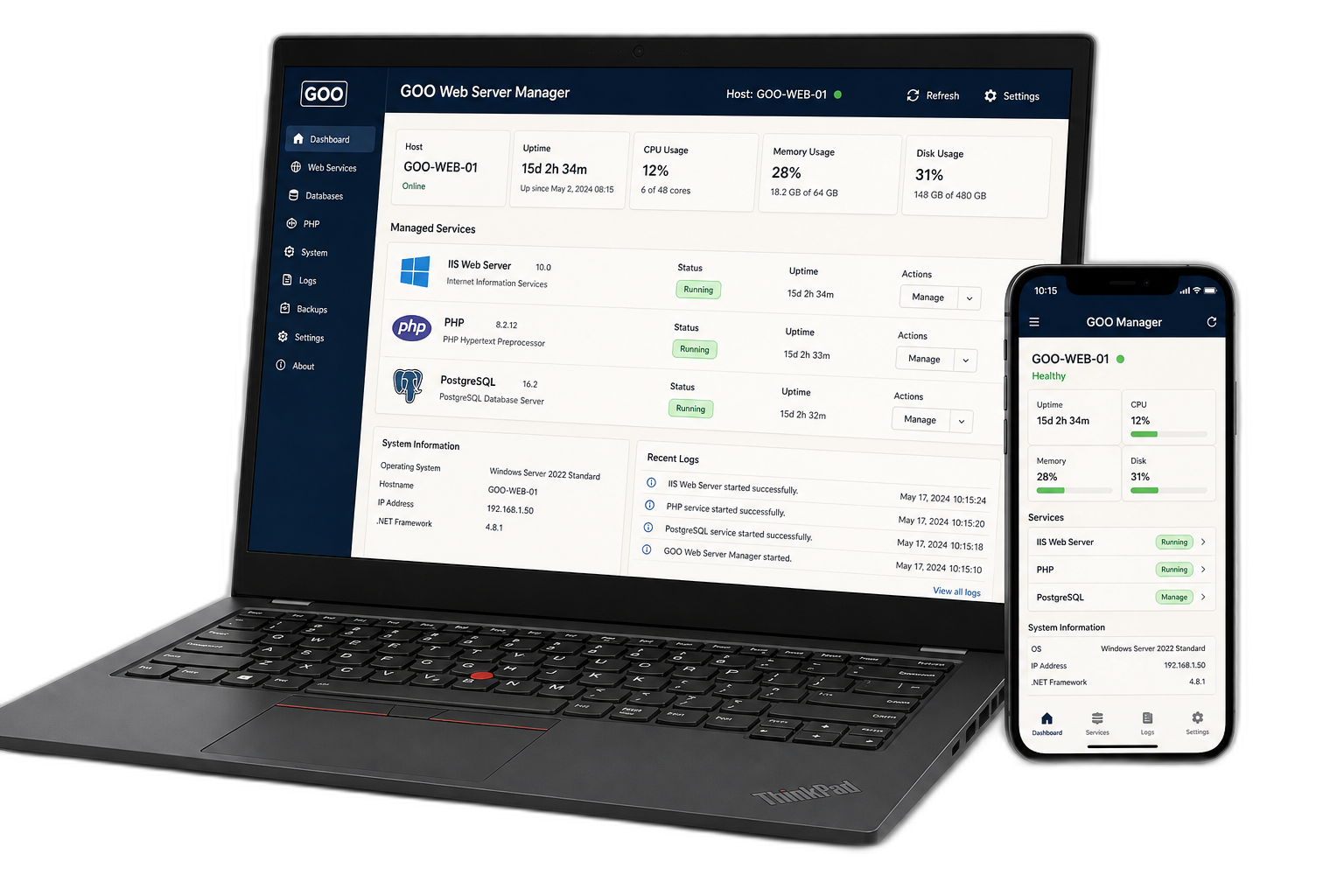
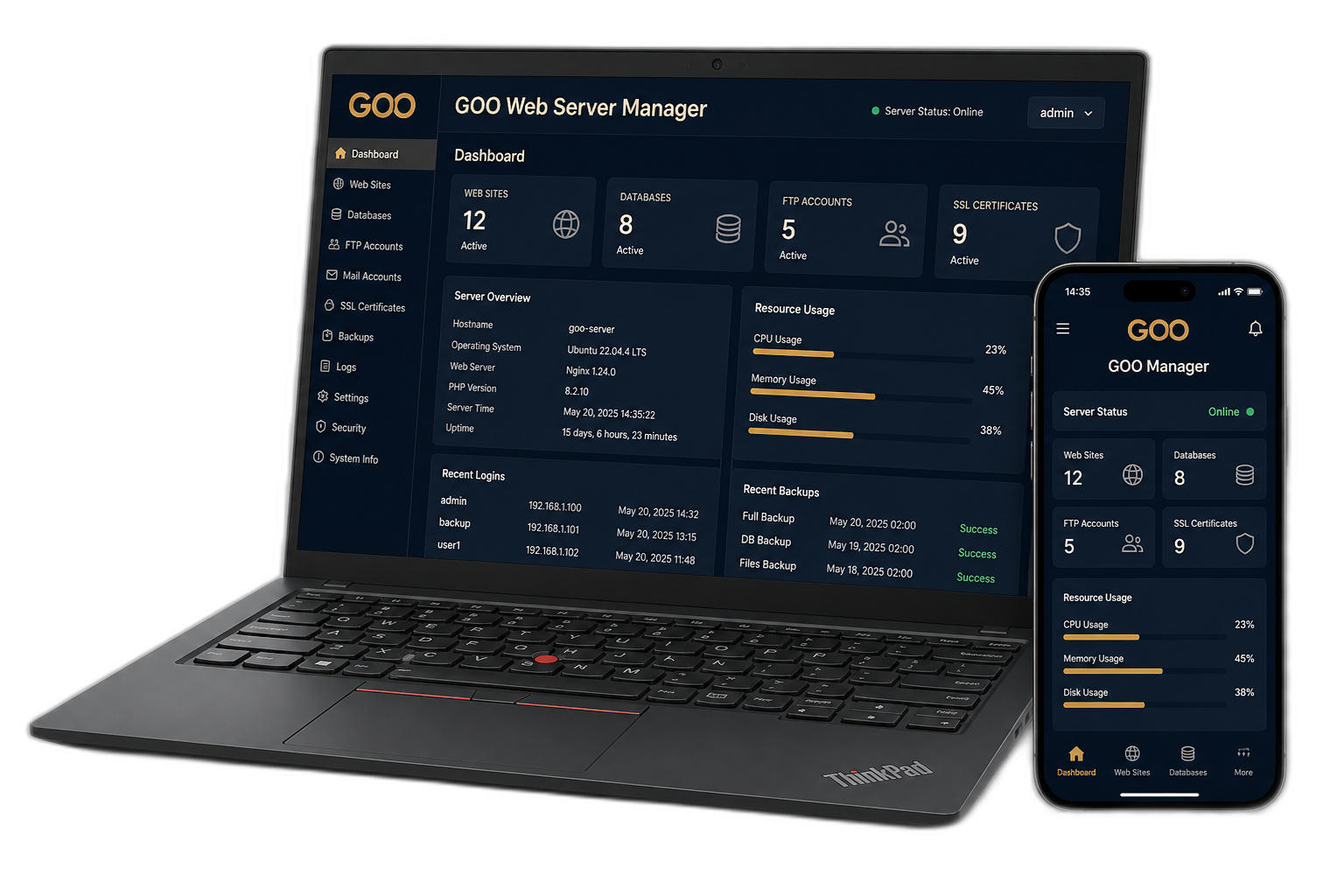
From Windows Server to a running PHP stack in minutes.
Traditional setup on Windows requires complex role configurations, manual FastCGI handler mappings, C++ runtime hunting and firewall tweaks. GOO Web Server automates the entire foundation.
One Installer
IIS, Apache, PHP, SSL, Windows Firewall and databases deployed together from one guided installer without hunting dependencies.
Offline Ready
Deploy GOO Web Server in environments with no internet access. Standalone packaging makes it ideal for air-gapped networks.
Production Focused
Unlike local dev stacks, GOO applies hardened defaults, FastCGI process pooling, OPcache bytecode tuning and rewrite rules.
Easy to Manage
Monitor services, versions, system resources and logs in real time from the native GOO Web Server Manager interface.
IIS or Apache. Your choice.
Choose the web server engine that best fits your enterprise compliance and infrastructure standards. Both engines benefit from the unified GOO management experience.
Microsoft IIS
Internet Information Services
- PHP FastCGI Module: Native Windows process orchestration
- URL Rewrite 2.1: Pre-installed and configured for framework routing
- Application Pools: Isolated worker processes and memory limits
- SSL Bindings: Native Windows Certificate Store integration
- Windows-native: Full integration with Windows Server OS roles
Apache HTTP Server
Apache 2.4 Enterprise Edition
- Apache 2.4.x: Hardened build compiled for Windows x64
- PHP FastCGI (fcgid / proxy_fcgi): High throughput request handling
- mod_rewrite: Standardized `.htaccess` execution
- OpenSSL Modules: High performance modern TLS cipher suites
- Windows Service: Fully managed background service with auto-recovery
Built for disconnected environments.
GOO Web Server can install and operate without an internet connection. Most modern tools require network calls to fetch runtimes, certificates or packages. GOO carries everything inside a self-contained, digitally signed offline package.
Engineered specifically for mission-critical networks:
The GOO Web Server offline installer includes all core runtime components, redistributables and tooling required to stand up a fully operational PHP server without a single byte pulled from the internet.
Ready for modern PHP applications.
GOO Web Server is pre-tuned for high performance PHP frameworks including Laravel and CodeIgniter. Essential extensions, rewrite rules and OPcache memory bounds are configured automatically out of the box.
Standard enterprise profile balancing performance, broad framework compatibility and high security defaults.
FastCGI + OPcache EnabledMore than an installer.
GOO Web Server Manager keeps your Windows web stack visible, observable and manageable through a clean desktop interface designed for system engineers.
GOO Web Server Manager
Your configuration survives updates.
Runtime packages can be updated without overwriting your custom PHP, Apache, IIS or application configuration. GOO strictly separates runtime code from state and config.
Safe component updates.
GOO Web Server Manager monitors installed component versions and lets you apply security patches without re-installing the operating system stack.
| Component | Installed | Channel Status | Action |
|---|---|---|---|
| PHP Runtime | 8.3.33 | Update Available | v8.3.34 Ready |
| PostgreSQL | 17.2 LTS | Current | Up to date |
| Apache HTTP | 2.4.68 | Current | Up to date |
| VC++ Runtime | 14.40.33810 | Current | Up to date |
Free to use.
GOO Web Server is distributed free of charge. You can install and evaluate on any Windows machine for 7 days without registering. Completing free product activation unlocks lifetime perpetual usage.
- Free perpetual license: Unlimited production deployments with no forced expiration
- Online & offline updates: Direct access to tested component upgrade packages
- Version tracking: Automatic notifications for critical security patches & CVE alerts
- No credit card or recurring subscription: Truly free for IT professionals
Secure defaults for Windows servers.
Standard developer stacks compromise security for convenience. GOO Web Server adopts production security baselines so your servers remain compliant and defended.
Directory Browsing Disabled
Directory indexing is turned off by default across IIS and Apache to prevent sensitive directory reconnaissance.
Local-Only Database Binding
PostgreSQL and MySQL listen solely on localhost (127.0.0.1). External network access is strictly locked down.
Managed Windows Firewall
Automated, scoped firewall rules create narrow allowances for ports 80/443 without exposing admin interfaces.
Self-Signed HTTPS by Default
Every fresh deployment binds to HTTPS out of the box so no unencrypted HTTP traffic leaves the host.
PHP Production Profile
`display_errors = Off`, `expose_php = Off`, and production OPcache memory baselines are standard.
Digital Signature Verification
All installers, update packages (.gpkg) and binaries are verified against INOSAS cryptographic certificates before execution.
Download GOO Web Server
Free for commercial and production use on Windows servers and developer workstations.


Contact
Licensing, deployment and institutional inquiries. Direct correspondence — no ticket maze, no sales sequence.
GOO Web Server is developed and supported by INOSAS for Windows estates that cannot depend on a public cloud.
- Free license activation and machine registration
- Offline / air-gapped deployment questions
- Government, defense and finance environments
Response is by email. Include your installation_id when the request concerns a license.